Excel data cleanup, made practical
Messy data in.
Clarity out.
Find practical Excel guides for the data problems slowing you down, with real screenshots and steps you can follow.
Real Excel screenshots · Step-by-step guides
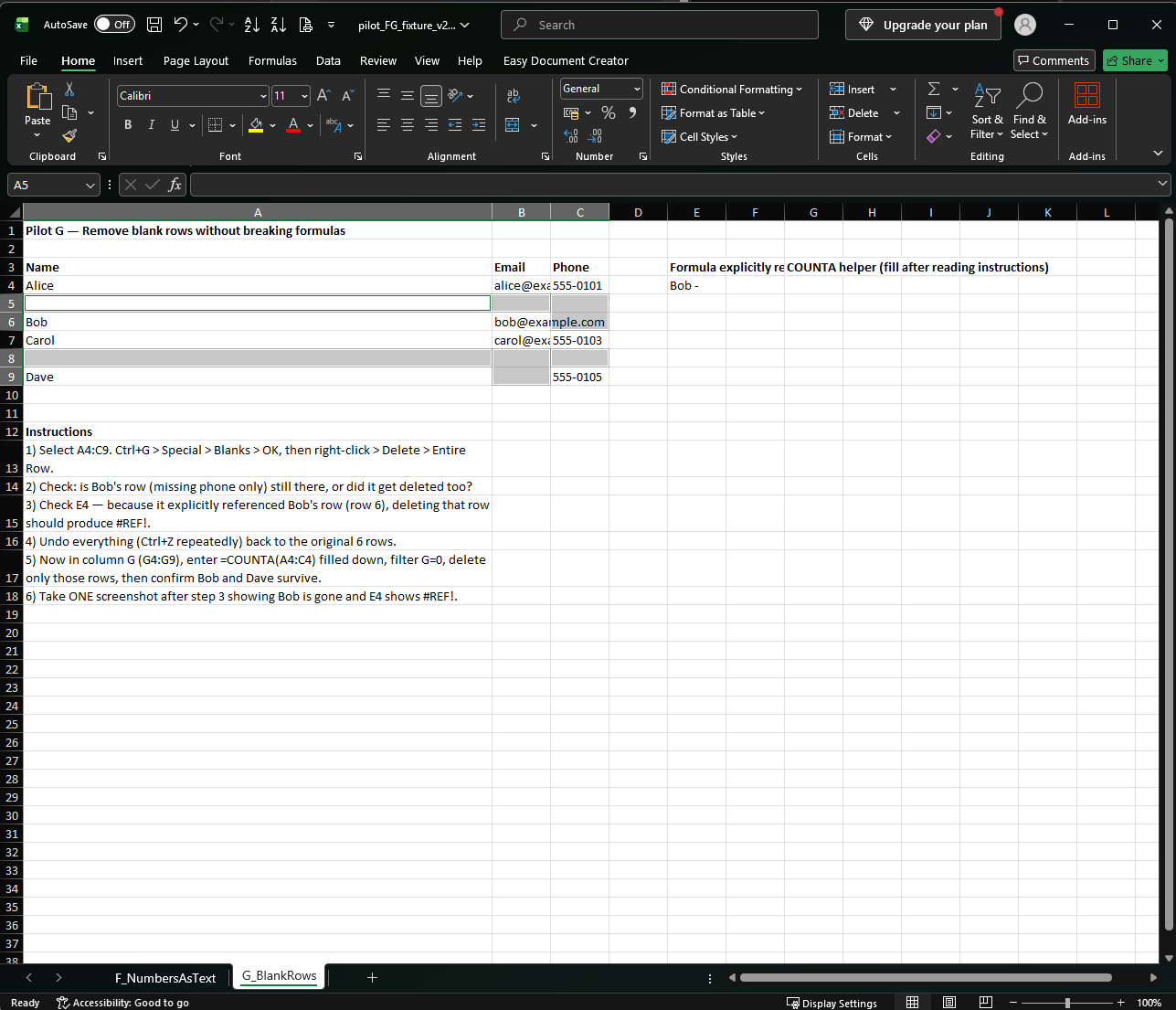
BEFORE
Blank cells mixed with real records
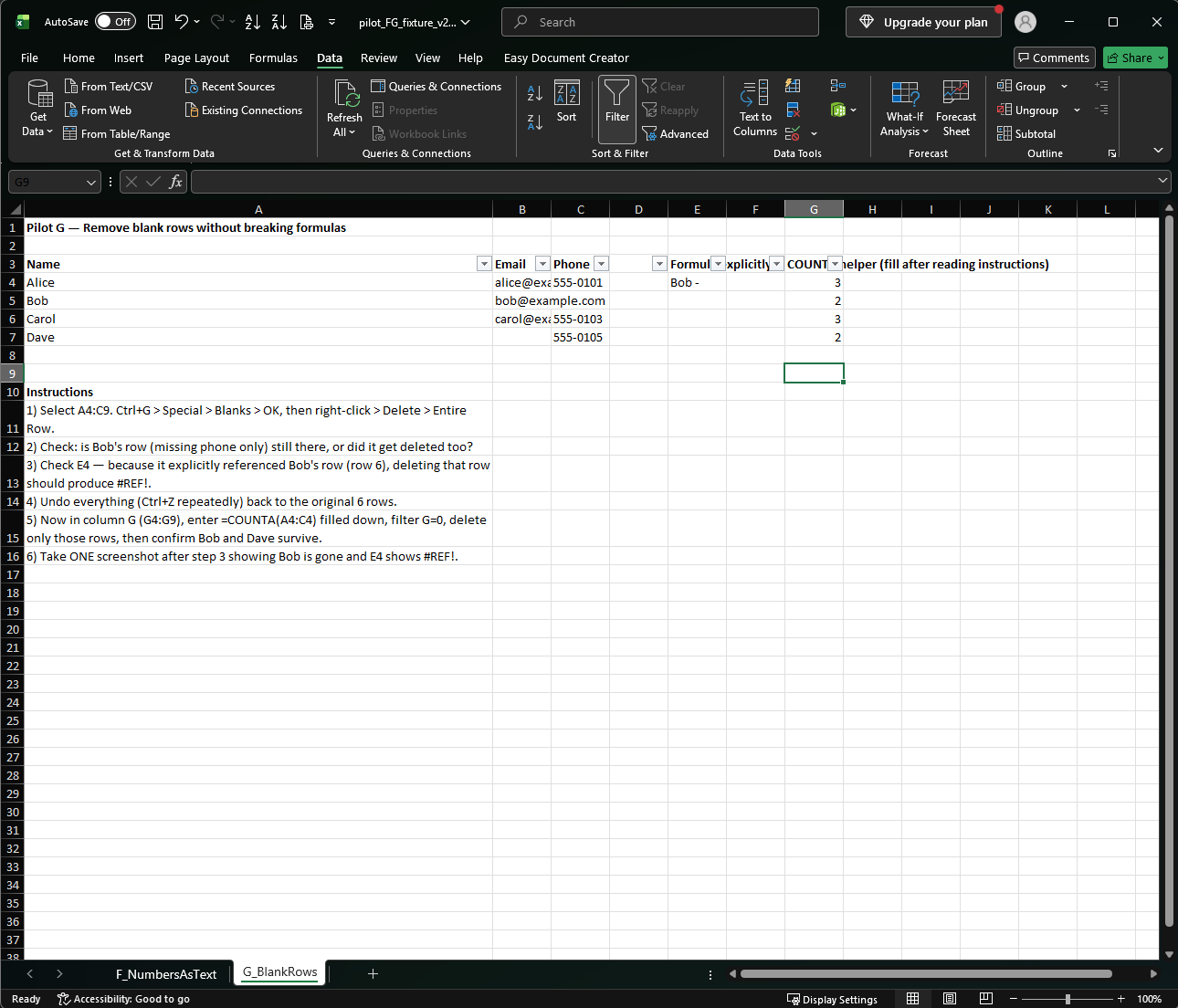
AFTER
Records kept, blank rows removed
Tap an image to open the original-size screenshot.
A good place to begin
What are you working on?
Pick a common problem and follow a practical guide.
01 / DATA CLEANUP
Remove blank rows safely
Clear empty rows without losing partially filled records.
Read the guide ↗
02 / DATA CLEANUP
Fix numbers stored as text
Explore four ways to turn text values into numbers.
Read the guide ↗
03 / POWER QUERY
Remove duplicate records
Work through duplicate keys, ties and null values.
Read the guide ↗
Browse by topic
Find the right kind of fix.
From small cleanup tasks to repeatable transformations.
FREE PRACTICE WORKBOOK
Try the cleanup yourself.
Practice with leading zeros, long numbers and dates in one free Excel workbook. No email or sign-up needed.
Create the practice CSV files from the workbook sheets; separate CSV downloads are not included. Tested in Excel 2021 on Windows with an English interface and Korean regional settings. Other environments were not tested.